ClearVox · Chrome and Edge
Click to call for ClearVox
Click a phone number on any web page and call straight through your own ClearVox telephone system. Try it free for 14 days, then €9.95 per user per year. Works in Google Chrome and Microsoft Edge.
Free trial · installing takes a minute
01 / Demo
How it works
Customer service: 020 123 4567
After office hours: +31 6 12345678
Sales: 010 765 4321
- Jan de Vries101Available
- Jantine Bakker112Busy
- Janneke Smit118Away
02 / Get started
Get started in three steps
- Install the extension from the Chrome Web Store.
Chrome
Click Add to Chrome and confirm.Edge
Open the same page in Edge, click Add to Chrome and confirm Edge's notice about extensions from other stores. - Start your free trial. In the extension click Start free trial, or go to account.voipai.nl. Enter your email address, open the link in the email (no password needed) and create a licence key.
- Connect to your centre. Paste the licence key in the extension (Connection tab) and enter the address of your ClearVox centre, the port and your API token (found in your ClearVox profile under "3rd party login"). The dot in the header turns green when everything is right.
03 / Price
Just carry on after 14 days
€9.95 per user per year
Try it free for 14 days. After that you buy a one-year licence in your account with one click. The extension counts down your trial days and has a Buy now button, so there is nothing to look for. You can renew the same way shortly before your licence ends.
04 / Use
Use
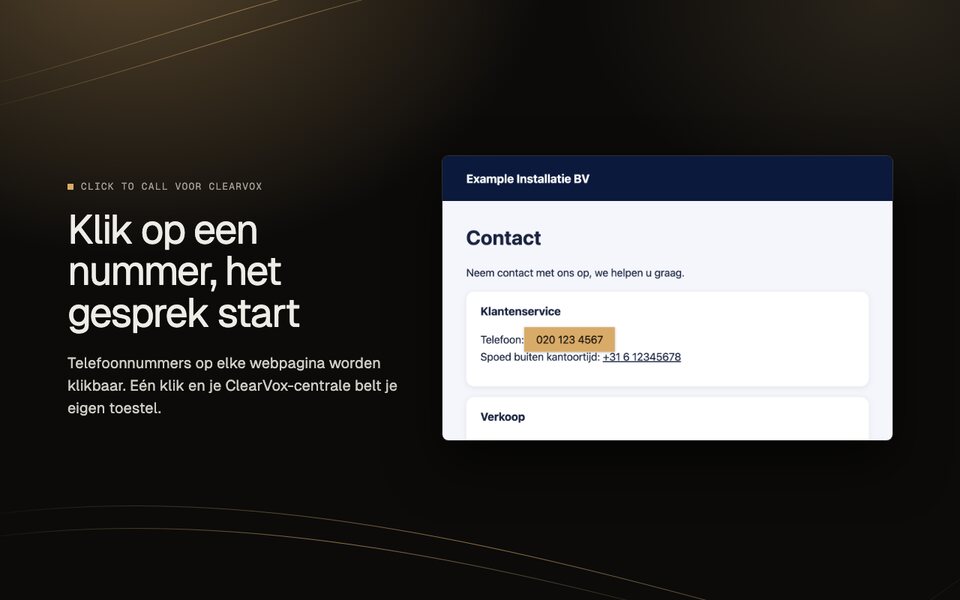
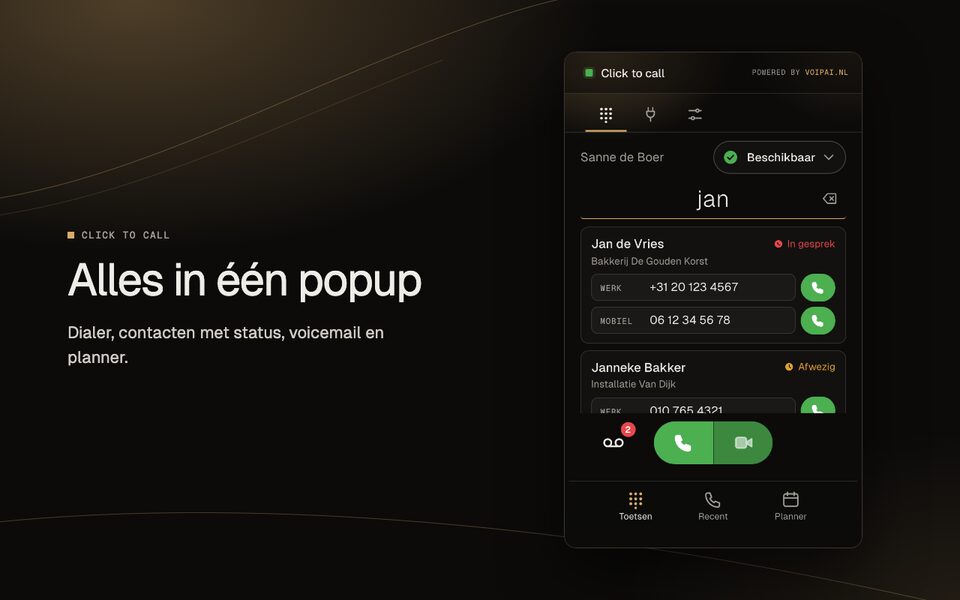
Click an underlined phone number on a web page, or select a number, right-click and choose Call. In the popup you switch number detection on or off per website. On the Dialer tab you type a number yourself or search your ClearVox contacts (with your colleagues' status), see your own status and listen to your voicemail. History shows your last 20 calls.
05 / Good to know
Good to know
- Your API token stays on this device in your own browser. The extension sends calls and data only to your ClearVox centre. Only your licence key goes to account.voipai.nl, to check the licence. See the privacy statement.
- Updates arrive automatically through the Chrome Web Store.
- Need help? Step-by-step guides with screenshots are in the help centre (in Dutch).
- On a managed work PC your administrator may block installation. Ask your IT department for help.
06 / Questions
Frequently asked questions
What is a CTI or click-to-call extension for ClearVox?
CTI (computer telephony integration) connects your computer to your telephone system. With this extension you click a phone number in your browser and ClearVox Nexxt starts the call on your own phone or softphone.
The old ClearVox Nexxt click to call extension no longer works. What now?
The old extension is built on Manifest V2, which Chrome and Edge are switching off. This extension is a Manifest V3 version that does the same: you enter the address of your ClearVox centre, the port and your API token, and phone numbers become clickable again.
Does this work in Chrome and in Edge?
Yes. Both browsers use the same extension technology. You install it in both through the Chrome Web Store; the guide is on the extension page.
What does it cost and what happens after the trial?
You try it free for 14 days. After that a licence costs €9.95 per user per year. The extension counts down your trial days and has a Buy now button to your account; renewing works the same way.
What happens to my API token?
The token stays in your own browser's storage and goes only to the ClearVox server you configured. Page content is not collected. See the privacy statement.
Questions? info@voipai.nl